Read the author's instructions below to know how you can get help.
Supported
minhtran's support instructions
INSTRUCTIONS FOR INSTALLING AND RUNNING THE WEBSITE
System Requirements:
Node.js (latest version or LTS).
Firebase CLI (install using the command: `npm install -g firebase-tools`).
A Firebase account has been created and configured.
Download Source Code:
Download the source code from the repository to your computer.
Extract the zip file (if necessary) and open the project folder in Visual Studio Code or your IDE.
Open the terminal and navigate to the ThaoVyStore folder.
Run the command: `npm install`
Install Dependencies:
This command will install all the necessary packages listed in the package.json file.
Configure Firebase:
Log in to Firebase using the command: `firebase login`
Link your project to Firebase: `firebase use:[your project ID]`
Select the necessary services such as Hosting, Firestore, and Functions.
Configuring Firebase in source code:
Open the firebaseInit.js file in the ThaoVyStore directory.
Replace the Firebase configuration information with information from your Firebase project (API Key, Auth Domain, Project ID, etc.).
Deploying Firestore Rules:
Navigate to the functions directory.
Run the command: `firebase deploy --only firestore:rules`
Navigate to the ThaoVyStore directory.
Run the command: `firebase deploy --only hosting`
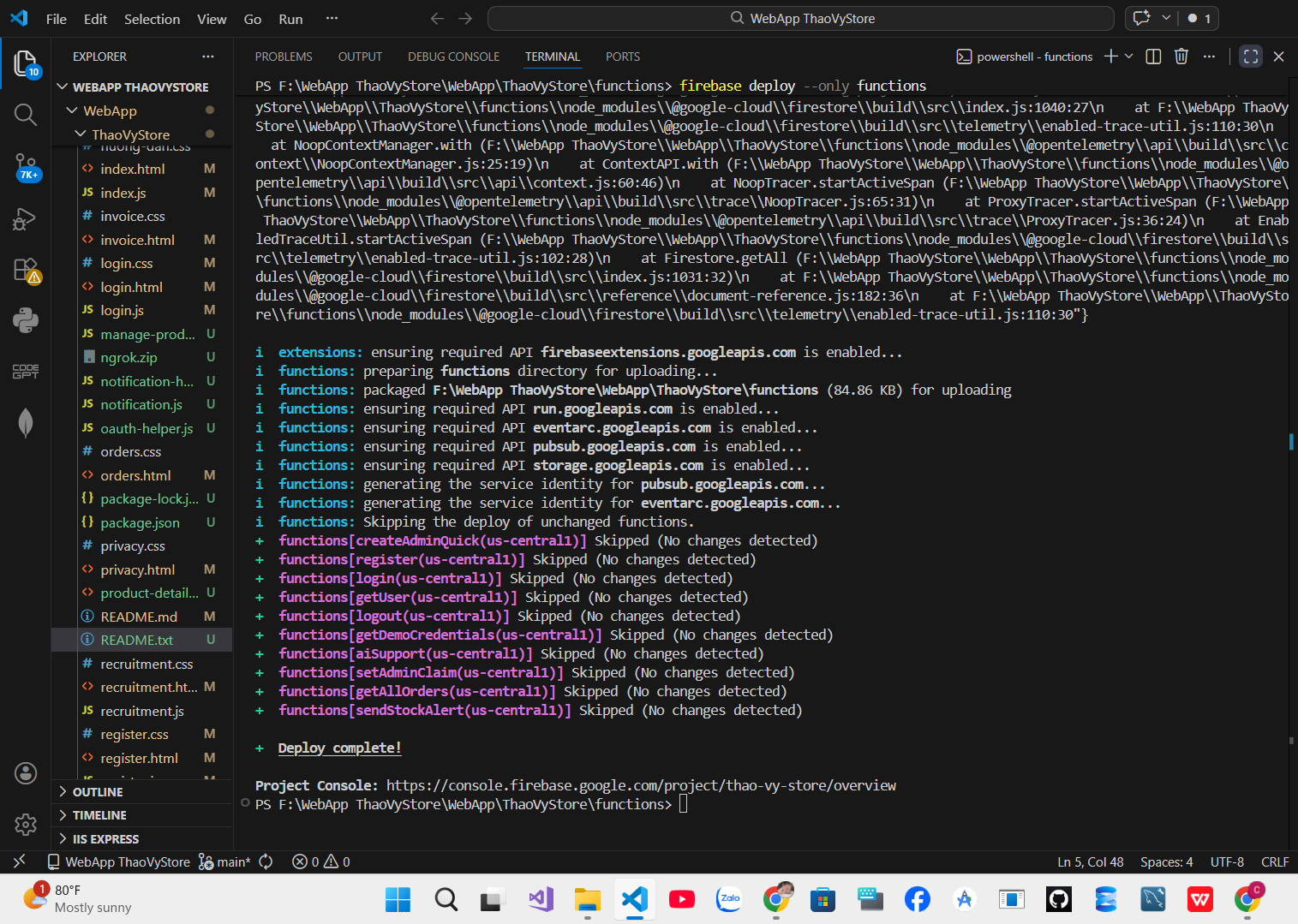
Navigate to the functions directory.
Run the command: `firebase deploy --only functions`
After successful deployment, you will receive the website URL from Firebase Hosting.
Open your browser and access that URL to test the website.
Ensure that you have correctly configured the information in the Firebase Console (Firestore, Authentication, Hosting, etc.).
If there are any errors, recheck the configuration in the firebase.json and firebaseInit.js files.




![SHARE MÃ NGUỒN GAME BÀI 789CLUB [KÝ GỬI]](https://marketcode.net/files/items/2volejrejnmg/azQ12vZL6NE3H0x_1761526520.webp)